Free POS Software UK 2026: No Monthly Fee, No Commission
Free POS software for UK small shops in 2026: no monthly fee, no software commission, works offline in pounds. Pair any card reader and keep the till free.
POS & restaurant consultant, 12 years in the industry
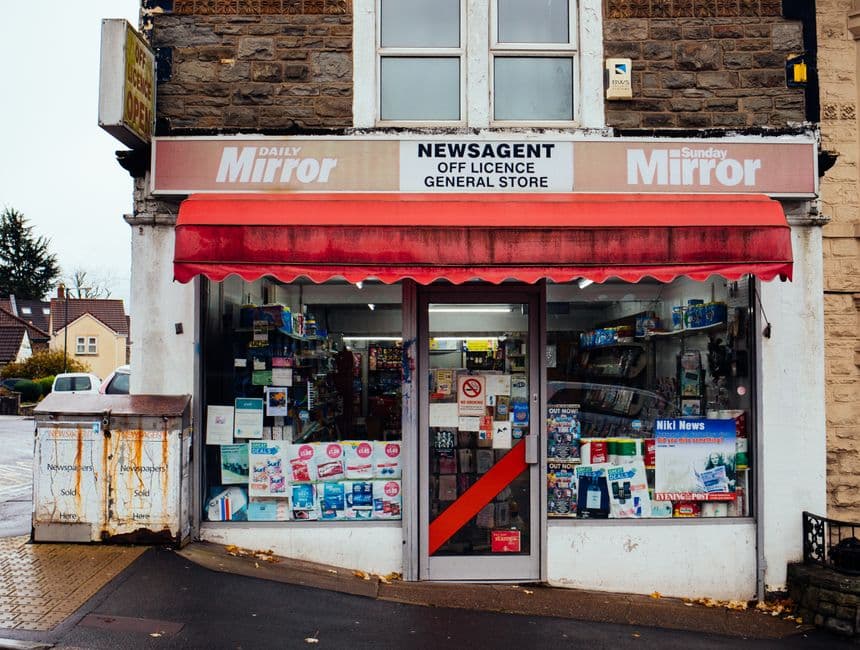
A genuinely free till for the UK small business, no monthly fee
Walk into a corner shop in Peckham, a coffee bar off Deansgate in Manchester or a stall on the Bull Ring market in Birmingham and you will find roughly the same kit: a phone or a tablet, a card reader, and a monthly bill nobody enjoys paying. Square, SumUp, Zettle, Loyverse, Epos Now, Lightspeed, Shopify POS. Every one of them has a cheap or free way in, and every one of them has a door a bit further down the corridor marked "upgrade". You walk through it the day you want a third staff login, a proper stock report, or table service. From then on you pay every month, in a good week and in a dead one.
On top of that sits the card processing fee, and that one really is unavoidable: someone has to move the money. So a small shop ends up paying twice. Once for the machine that takes the money, once for the software that rings up the basket.
digabloPos kills the second bill. The core till is free for life: unlimited sales, unlimited products, receipts, end of day reports, staff logins. No monthly fee, and no commission on the software. It runs on an old Android phone, a tablet, or a laptop in the browser, and it keeps selling offline when the broadband drops or the 4G dies behind a thick Victorian wall. You pay a processor only when a customer actually taps a card, and you choose that processor yourself.
That is the whole argument of this article, and you can test it this afternoon: keep the card reader and the till as two separate layers, keep the till free, and shop around for the tap.
Card payments without the monthly fee
Card is the default in Britain now. Chip and PIN for the bigger baskets, contactless for almost everything else, Apple Pay and Google Pay from a phone or a watch, and Open Banking pay-by-bank creeping in at the edges. Cash has not disappeared, and on a market stall it still matters, but the till has to handle a tap without drama.
So you need a reader. You almost certainly already have one in the drawer. The point is not to throw it away, it is to stop letting the reader company sell you the whole shop.
The entry tiers of the pay-as-you-go processors have no monthly fee at all. You pay per transaction and nothing else:
- SumUp: around 1.69% per in-person transaction on pay-as-you-go, reader from about £25. - Square: 1.75% for contactless and chip, with free reader options. - Zettle by PayPal: 1.75% in person, low-cost reader.
Rates move, and every provider tweaks its plans, so check the current pricing page before you commit to anything.
Now put digabloPos on top as the free till and reporting layer. Ring the basket up in digabloPos, take the payment on the SumUp, Square or Zettle reader, and record the tender as "Card" in the till. Cash goes down as "Cash", pay-by-bank as its own method, an account customer as credit. The software costs you nothing, and at close of trade your report splits card from cash from bank transfer, line by line.
That split is the bit people underrate. Your processor pays you in a lump, a day or two later, minus its fee. If your till does not tell you what the card total was supposed to be, you cannot check the payout against the drawer, and a quiet error can run for months before anyone notices. A free till that keeps every tender apart is worth more, in practice, than a paid one that lumps them together.
digabloPos: free for life, offline, on any device (£, GBP)
Here is what "free" actually covers, so there is no surprise later:
- No monthly fee, no software commission. Unlimited sales and products, receipts, reports, two staff. Optional paid modules only if the business grows into them. - Native pounds sterling (£, GBP). Prices, receipts and reports in pounds and pence, formatted the British way. - Every tender kept separate. Card, cash, Apple Pay, Google Pay, pay-by-bank, account credit. Each one its own method, so the daily report adds up. - Works offline. Sell, move stock and print receipts with no internet. Everything syncs when the line comes back. - Any device. An old Android phone, a tablet, or a laptop in the browser. No proprietary terminal to buy or lease. - Your processor, your choice. Pair whichever reader gives you the best rate, and swap it next year if a better one appears.
The offline part deserves a paragraph rather than a bullet, because it is the one people only understand after it has bitten them. UK broadband is decent until it isn't. A cut cable on the street, a router that reboots at half past twelve on a Saturday, a basement kitchen where the mobile signal gives up. A cloud-only till in that moment is a brick, and a queue of eleven people does not wait politely while you reboot anything.
digabloPos writes the sale to the device first. The shop keeps trading, stock keeps moving, receipts keep printing, and when the connection returns the sales upload on their own. Nobody has to key in the last two hours from a paper pad. Ask any till vendor the blunt version of this question before you sign: if my internet is down for a day, what exactly do I lose? The right answer is nothing.
Free POS in the UK, compared
The British market is not short of good tools. What it is short of is honesty about where the money comes out, because a "free app" from a payments company is free the way a printer is cheap.
- digabloPos: free for life core till, offline first, pounds, every tender recorded, on any device, no lock-in to a processor. Best when your priorities are zero software cost and still selling when the signal goes. - Square: a genuinely excellent free POS app with lovely hardware. You pay 1.75% per in-person tap, and the richer features (Square for Restaurants, Retail Plus) sit on paid plans. Tied tightly to Square payments. - SumUp: very cheap readers and a simple free app, around 1.69% on pay-as-you-go, with a lower rate on the paid Payments Plus plan. Strong for the smallest sellers. - Zettle by PayPal: a solid free POS app at 1.75% in person, sensible if PayPal is already in your life. - Loyverse: genuinely free and capable, much like digabloPos. Advanced staff and inventory features move to paid add-ons. - Epos Now: a full-featured EPOS, widely used in UK retail and hospitality, sold as a hardware bundle with a subscription.
Read that list again and you will see two families, not six. Square, SumUp and Zettle are payment companies that give you a till so you keep tapping on their reader. Loyverse and digabloPos are till companies that leave the payment question open. Neither family is wrong, but they answer different questions.
If your shop takes card for nearly everything and you are happy on one processor for the next five years, the payment-first apps are comfortable. If you want to keep your options open, run without a signal, and never see a software invoice, digabloPos is the more honest fit. And there is a middle path most people miss: use the payments app for the tap only, and run the shop in a free till alongside it. Nothing stops you.
By type of business
The same free core bends to most British trades. What changes is which two or three features you actually lean on.
- Corner shop or newsagent. Barcode scanning, live stock, quick service on cash and card, and a clean daily total to check against the card payout. With a few thousand lines on the shelves, the scanner earns its keep in a week. - Café or coffee shop. Quick item buttons, modifiers (oat milk, extra shot, no sugar), orders straight to the machine or the kitchen, contactless at the counter. Speed at the till is the whole job between eight and ten. - Market stall. One phone, no fixed hardware, offline. Whether it is Camden, Bury or a Sunday car boot, the signal will let you down at some point, and the sales still have to land somewhere. They sync when you get home. - Pub or bar. Fast rounds, open tabs by table, split payments, staff sign-in on a PIN. At the end of the night card and cash sit apart, and each sale carries the name of who rang it. - Takeaway. Counter and phone orders, kitchen tickets, and optional QR code ordering so people order and pay from the table or from the queue outside.
Start with the free till, run it for a month, and only switch on a module (kitchen, tables, multi-store, QR ordering) the day the shop genuinely needs it. Buying features you have not used yet is how people end up with a £70 monthly bill for a shop that turns over £4,000.
An honest note on VAT and Making Tax Digital
Now the part most vendors skip. A free till does some things and not others, and you should know which is which before HMRC does.
Britain has no fiscal receipt rule and no certified cash register mandate. Unlike France with its NF525 certification, you are not legally required to run a "certified" till. That makes life simpler here than across the Channel, and it means any honest software can be your till.
What you do have to get right is VAT. The standard rate is 20%, and you must register once your taxable turnover crosses the £90,000 threshold (raised from £85,000 on 1 April 2024), measured on a rolling 12 month basis, not on your accounting year. You can also register voluntarily below that if reclaiming input VAT suits you. Once you are registered you fall under Making Tax Digital (MTD) for VAT: digital records, and returns filed through MTD-compatible software.
Here is the honest bit. digabloPos is a till and a reporting tool, not MTD filing software. It does not send your VAT return to HMRC, and any vendor telling you their POS "does your VAT for you" is selling you a sentence, not a feature. What digabloPos gives you is clean, exportable sales records: every sale, every tender, VAT-aware totals, ready to drop into your MTD-compatible accounting package or into your accountant's inbox.
Think of it in two halves. The till is the tidy sales ledger at the front of the shop. The MTD software is the thing that files. The half people get wrong is almost never the filing, it is the ledger: a shoebox of Z-reports and a card statement that nobody has reconciled. Confirm your own obligations on GOV.UK or with your accountant, and keep the front half clean.
What a till really costs you over a year
Do the arithmetic before you sign anything, because the numbers are not intuitive.
Take a small café turning over £8,000 a month, with 85% of that on card. At 1.75%, the processing fee is about £119 a month, roughly £1,400 a year. That is the price of moving the money, and you will pay something like it whichever route you take. Nobody escapes it.
Now add a subscription. A modest EPOS plan on top, plus a "pro" tier because you wanted table service and a second till, and you are easily paying more per year for the software than the reader cost you in the first place. The software bill is the one that is optional. The processing fee is not.
That is why the sensible order is: pick the cheapest honest processor for your volume, keep the software free, and only pay for a module when the shop has proved it needs it. digabloPos is built that way on purpose. The core is free for life, the paid modules are bought one at a time, and they stop the month you stop wanting them. Your first real spend should be a barcode scanner and a decent thermal printer, not a licence.
One more number worth checking. If your card volume is high and steady, some processors offer a lower rate on a paid plan (SumUp's Payments Plus, for instance). Work out the crossover point in pounds rather than trusting the marketing table: monthly fee divided by the percentage saved gives you the turnover where it starts to pay. Below that line, stay on pay-as-you-go.
Five mistakes that cost UK shopkeepers money
Buying the reader and the till from the same company without asking. It is convenient, and convenience is what you pay for. Once your product list, your history and your staff logins live inside a processor's app, moving to a cheaper rate means rebuilding the shop. Keep the two layers separate from day one and you keep the freedom to move.
Choosing a cloud-only till. It works beautifully in the demo, on the vendor's wifi. It fails on the Saturday your line goes down, and it fails during the busiest hour, because that is when the pain shows. Offline is not a luxury feature in Britain, it is basic insurance.
Never reconciling the payout against the drawer. The processor pays you net, a day or two later, and the numbers never look like your takings. If you do not compare card total against payout, week by week, you will not spot a mis-keyed refund or a missing settlement. This takes ten minutes on a Monday.
Letting everyone share one login. When the till is short, "somebody" did it. Give each person a PIN, and every sale, refund and discount carries a name. That protects your cash and it protects the honest members of staff, which is most of them.
Paying for features you do not use. Loyalty schemes, marketing emails, a customer app. Lovely on the pricing page, untouched at month three. Switch things on when the shop asks for them, not when a salesperson does.
Start in 5 minutes
1. Open digabloPos in your browser, or install it on an Android phone or tablet. 2. Add your products (or import a list) and set the currency to pounds sterling (£, GBP). 3. Add your payment methods: Card, Cash, Apple Pay, Google Pay, pay-by-bank. 4. Pair your existing SumUp, Square or Zettle reader for the tap, and ring up your first sale.
Run it alongside your current till for a fortnight if that feels safer. Compare the two end of day totals, then drop the old one. No contract, no monthly fee, no commission on the software, and it keeps selling when the internet does not.
Also on digabloPos
Sources and references
Start your free UK till today
No monthly fee, no software commission, works offline, in pounds. Pair any card reader for the tap and run digabloPos as your free till and reporting layer. Set up in five minutes.
Try for free