Free POS Software in South Africa 2026 (No Monthly Fee)
The best free POS software for South African shops in 2026: no monthly fee, sells through loadshedding on any Android. digabloPos vs Yoco vs Loyverse.
Commerce & tax, Accra, Ghana
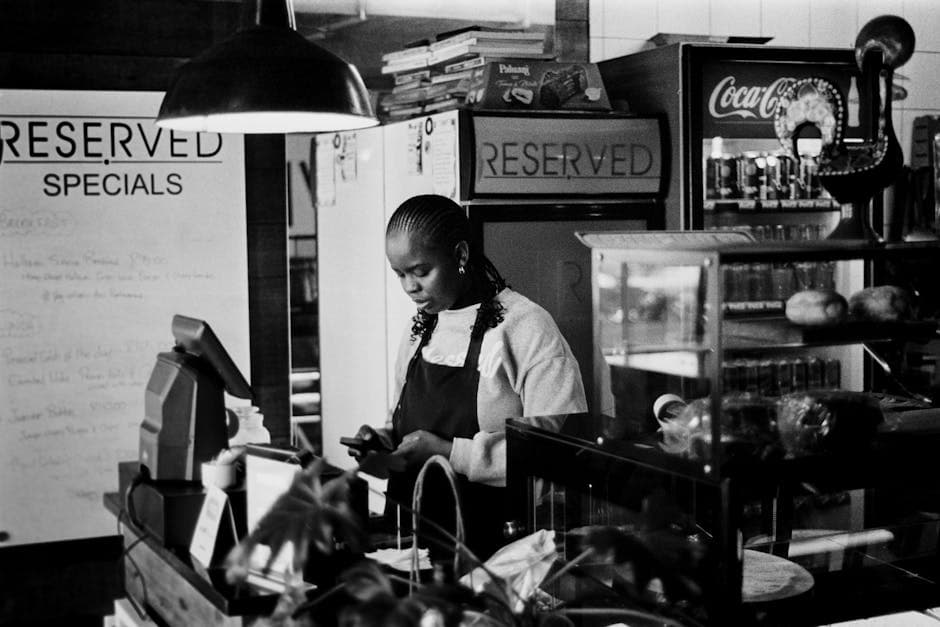
Selling through loadshedding without paying a monthly fee
The alert lands on EskomSePush at lunchtime: stage 4, your block goes dark at 18:00. Right when the shop is busiest. The fridge stops humming, the router dies, and any till that depends on the wall socket and the Wi-Fi turns into a black screen with a queue in front of it. Most South African shop owners stopped counting these evenings long ago. What fewer people notice is the second cost running quietly underneath: the monthly fee on the till software itself.
Those two costs, loadshedding and recurring software fees, eat the same margin. And in 2026 you can deal with both at once, because a free POS app can run entirely on the Android phone you already own, on its own battery, fully offline, then sync everything back the moment power and network return. The till never stops mid-sale, and nobody bills you for the privilege.
The best-known local option, Yoco, advertises free software with no monthly fees, and that claim is genuine. But the model is built around buying their hardware (the Yoco Counter starts around R2,999) and card-processing fees on every sale that goes through the machine. If your customers mostly pay cash, EFT and instant payments, routing everything through a card machine means paying for convenience you only half use.
This guide walks through the routes that are actually free, what each one quietly charges, and where each one makes sense, whether you run a spaza in Khayelitsha, a salon in Durban or a takeaway near a taxi rank in Soweto.
The catch with "free" POS in South Africa
"Free" is the most stretched word in software, and in South Africa it comes in three distinct flavours. Knowing which one you are being offered saves you an awkward surprise three months in.
The first flavour is free software, paid hardware and card fees. Yoco is the clean example, and most card-machine providers follow the same logic. The software costs nothing because your transactions pay for it: you buy the device upfront, then a slice of every card sale goes to the provider. If cards are the heart of your business, that trade can be perfectly fair. If they are not, you end up financing software through fees on payments that never needed to pass through a machine in the first place.
The second flavour is the free global app. Loyverse is the best known: genuinely free at its core, and well built. But the features a growing shop eventually reaches for, employee management and advanced inventory among them, sit behind monthly subscriptions billed in dollars, and there is no South-Africa-specific support. Nobody at head office is thinking about loadshedding schedules, PayShap, or how a spaza actually trades.
The third flavour is the free trial dressed up as a free product. Many hospitality suites (GAAP, Lightspeed and others) are paid software with a trial window. Nothing dishonest about that, but the trial is a test drive, not a price. The number that matters is the one on the invoice after the window closes.
A truly free POS lets you run the whole shop, sales, stock, receipts, staff and reports included, at no recurring cost, on hardware you already own. That list is short, and it is where digabloPos sits.
digabloPos: a free, offline-first till for South Africa
digabloPos is free for life on its core POS, and it was built for places where the power is a rumour and the software budget is zero. Four things matter most at a South African counter.
It survives loadshedding. The app runs fully offline on your phone or tablet battery: you ring up sales, print slips and track stock with no electricity and no internet, then everything syncs on its own when the grid and the signal come back. A stage 6 evening becomes a problem for your fridge, not for your till. A cheap power bank stretches the phone through back-to-back outages, and it costs less than a single month of most POS subscriptions.
There is no monthly fee and no hardware lock-in. Any Android phone does the job: the Samsung, Huawei, Tecno or Mobicel already in your pocket. If you want printed slips, a Bluetooth thermal printer costs around R500 and pairs in minutes. That is the entire hardware bill. Nobody ships you a proprietary box you will still be paying off next winter.
It is rand-native. Prices, receipts and reports come out in ZAR with the correct formatting, so your slips look right and your evening totals read the way your bank statement does.
And it records every way South Africans actually pay. Cash, EFT, instant payment, SnapScan, card: each one is logged as its own payment method, so the daily report reconciles channel by channel instead of dumping everything into one doubtful total.
Stock and staff live in the free core too: real-time stock with low-stock alerts, a PIN login for each employee so every sale and every void has a name on it, and daily and weekly reports. For a spaza shop, a salon, a café or a growing retailer, this is the lightest possible way to go digital without signing up for a recurring bill.
Accepting cards, instant payments and SnapScan cleanly
South Africa is mostly card and instant-payment territory rather than mobile money. A normal hour at a busy counter looks like this: one customer taps a card, the next scans a SnapScan or Zapper QR code, a third sends an instant EFT from their banking app, and a fourth pays through PayShap, the country’s rapid payment system, or a bank wallet like Capitec Pay. The card tap usually runs through a separate machine (Yoco, iKhokha, SumUp); everything else lands straight in your account.
The till’s job is not to process those payments. Its job is to record them properly, and two habits protect your money.
First, confirm every payment on your own side: your card machine’s approval, your bank’s notification, your merchant app. Never the customer’s screen. Fake proof-of-payment screenshots are an everyday scam in South Africa, and a convincing one takes less than a minute to produce. The friendly customer waving his phone at you during the evening rush is exactly when it happens.
Second, log every sale under its true payment method. When you cash up, the report separates cash, card and each instant-payment channel, and you compare line by line against your own notifications. An EFT that "went through" but never arrived shows up the same evening instead of dissolving into the week’s total. So does the drawer that is R200 short.
A till that keeps one payment method per channel turns a messy drawer into a clean daily report, and it pairs happily with whatever card reader you already use. You do not have to choose between digabloPos and your card machine; they do different jobs on the same counter.
Which free POS should you choose?
The honest answer depends on how your customers pay, not on any feature list.
Choose Yoco if card payments are the centre of your business and you want an all-in-one machine from a local company. You accept the per-transaction fee and the hardware cost in exchange for convenience, and for a busy card-heavy counter that trade often makes sense.
Choose digabloPos if you want zero recurring cost, a till that keeps selling through loadshedding, and the freedom to run everything on the phone you already own while recording cash, EFT and instant payments yourself. You keep every rand of every sale, and you decide later whether a card machine is worth adding.
Choose Loyverse if a polished global app is enough for you and you are comfortable paying monthly, in dollars, for the staff and inventory features you will eventually want, with no local support behind them.
And plenty of shops quietly run two of these at once: digabloPos as the free, offline till and stock manager, plus whichever card option suits them for tap payments. The card machine handles the tap; the till holds the record of everything. Start free, and add only what the counter actually asks for.
By type of business
The same free, offline core adapts to most South African trades, but each trade leans on a different part of it.
A spaza shop or general dealer leans on stock and credit. Hundreds of small items, bread and airtime and paraffin, and the regulars who buy on account until month-end. Barcodes and real-time stock replace the guesswork, customer credit replaces the exercise book only one person can decipher, and the evening report reconciles cash against card without an argument.
A café, restaurant, takeaway or shisa nyama leans on speed. Quick buttons for the kotas and the plates that move, orders sent to the kitchen or the braai, and SnapScan or card confirmed at the counter while the queue keeps moving. On a Friday night, the seconds per order are the whole business.
A salon or barber leans on people. A button per service, a PIN login per stylist, and tips tracked per employee, so payday becomes arithmetic instead of negotiation.
The market or street trader leans on the phone itself. No hardware, no plug, no signal needed: you sell through an outage or a dead zone and it all syncs later on its own. This is honestly where free matters most. Nobody trading from a table at a taxi rank should be paying a software company every month, and no subscription vendor is building for that trader anyway.
You start with the free till and switch on a module the day the business actually needs it, not the day a salesman says you will.
What about SARS (VAT, tax invoices)?
An honest note, because free software does not make SARS disappear.
A free till covers your everyday operations: recording sales, tracking stock and producing a clean report at the end of each day. For most small shops, that operational layer is the essential part, and the legal thresholds sit further away than many owners fear. You are only required to register for VAT (15%) once your taxable turnover passes R1 million over 12 months. Below that line, your main tax job is keeping records honest enough to file from, and a digital till does that far better than a drawer full of slips.
If you are VAT-registered, the bar rises: you must issue valid tax invoices carrying the required details (your VAT number, the amounts, the 15% VAT), and SARS continues to modernise e-invoicing and digital reporting year by year. Treat that as a separate compliance layer on top of your daily trading, and confirm the specific obligations for your registration type with your accountant or directly with SARS.
What the till contributes is the foundation underneath: a reliable, dated record of every sale, by payment method, that makes those tax invoices and your bookkeeping dramatically easier. The difference between a painful filing season and a manageable one is usually the quality of the sales records, not the size of the accountant’s bill.
What a free till actually costs in rand
Worth adding up, because "free" still meets a real counter at some point.
The software itself: R0, permanently, on the core till. The phone: R0, because the Android already in your pocket is enough; digabloPos runs comfortably on the entry-level handsets sold in every mall. A Bluetooth thermal printer, only if you want printed slips: around R500, once. A power bank to carry the phone through stacked outages: a few hundred rand, once, and it will outlive every loadshedding schedule Eskom publishes.
Now compare the alternatives. The card-machine route starts around R2,999 for a Yoco Counter, plus a percentage of every card sale, forever. A subscription suite bills you monthly whether the month was good or not, and the global apps bill in dollars, which the exchange rate never makes kinder. Over a year, a shop on a paid plan spends more on software than the entire hardware list above, and then it spends it all again the next year.
None of this makes the paid options wrong. A busy card-first business can justify the machine, and a large restaurant can justify a full suite. But for the thousands of shops in between, the arithmetic is short: the free route costs about one printer, and the paid route costs a slice of everything you earn. Put your first money into stock, a power bank and a decent printer. Software should be the last thing a small shop pays for, not the first.
How to start before the next outage
You do not need an agent, a contract or a delivery in a branded box.
1. Download digabloPos on your Android phone, or open it in a browser. 2. Create your shop and load your fastest-moving products first; the full list can follow, shelf by shelf. 3. Set the rand as your currency and add your payment methods: cash, card, EFT, SnapScan, PayShap. 4. Ring up your first sale. If you bought the R500 printer, pair it over Bluetooth and print the slip.
Keep your old notebook running alongside for a week or two if that reassures you, then compare the two at cash-up. The report will tell you things the notebook never did: which products actually carry the shop, which ones just occupy shelf space, and whether the cash in the drawer matches the sales on the screen.
The best moment to set this up is before the next stage announcement, not during one. Pick a quiet morning, make ten sales, then let a power cut try its worst. The test costs you nothing, which is exactly the point.
Frequently asked questions
Is there free POS software for South Africa with no monthly fee?
Yes. digabloPos is free for life on its core POS, no monthly fee and no device to buy, running on the Android phone you already own.
Does it keep working during loadshedding?
Yes. digabloPos runs fully offline on your device battery, so you keep selling, managing stock, and printing receipts during loadshedding, and it syncs when power and the network return.
Can it accept card payments?
Yes. digabloPos accepts cards via its Stripe Connect integration (Visa, Mastercard, Amex, Apple Pay, Google Pay) and also records cash, EFT, and instant payments, all in rand.
Also on digabloPos
Sources and references
Start your free till in South Africa
No monthly fee, no hardware lock-in, and it keeps selling through loadshedding. digabloPos runs on any Android in rand, ready in 5 minutes.
Try for free