Free POS Software in the Philippines 2026: GCash, Maya, QR Ph
Free POS software for sari-sari stores and small shops in the Philippines: records GCash, Maya and QR Ph, works offline, in pesos, no monthly fee.
POS & restaurant consultant, 12 years in the industry
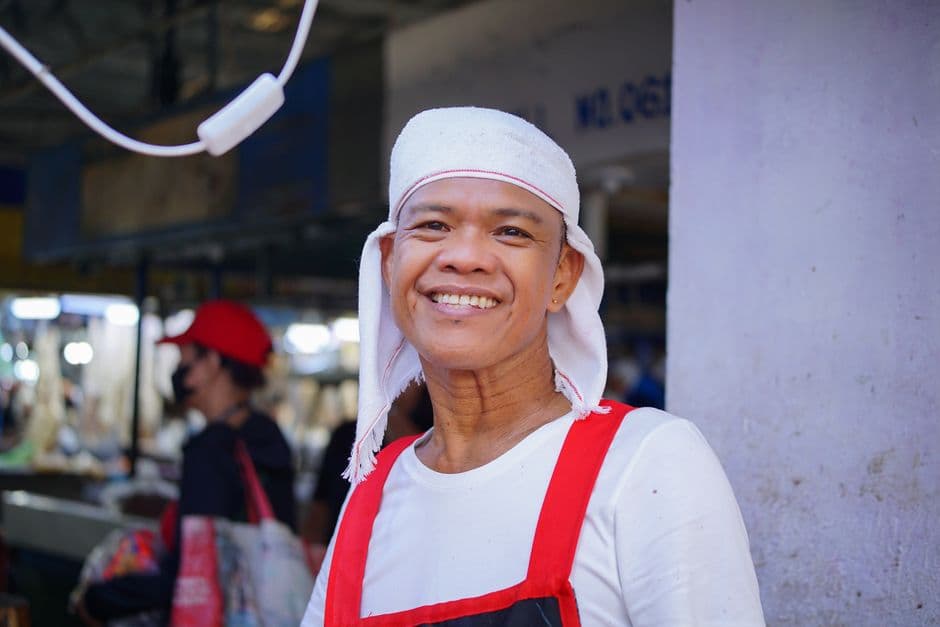
A free till for the Filipino store: GCash, Maya and QR Ph included
Half past seven on a weekday evening, somewhere in Caloocan. A customer leans on the counter of your sari-sari store and asks for two sachets of coffee, a can of sardines and ₱50 of load. She has no coins, so she points her phone at the QR code taped to the grille, taps, and shows you the screen. You nod, she disappears into the street. And that sale now exists nowhere. Not in a notebook, not in a till. It sits buried inside your GCash app, somewhere between a remittance from your sister and a payment to your supplier.
Multiply that scene by thirty or forty a day. Add the utang notebook for your suki, a brownout around eight in the evening, and a storm signal announced for the weekend. That is the ordinary week of hundreds of thousands of small Filipino stores, from Metro Manila to the last barangay on the provincial road.
Customers pay with GCash, Maya and QR Ph more every month, in the city and in the province alike. A store that only takes cash now watches people walk out without buying, not out of bad will, simply because they carry less cash than they used to.
So the till you pick has four jobs, and only four. Record each payment method separately, so cash, GCash, Maya and QR Ph never blur into one number. Count in pesos and centavos. Keep selling when the signal drops. And cost nothing per month. Most traditional POS terminals fail at least two of those tests, because they come bundled with hardware you must buy and a plan you must pay whether the store had a good week or not. This guide walks through what a free till actually does for a Filipino store, where its limits are, and how the main options on the market compare.
Accepting GCash, Maya and QR Ph cleanly
For years, Filipino counters collected stickers. One QR for GCash, another for Maya, sometimes a third for the bank. QR Ph, the national QR standard from the Bangko Sentral ng Pilipinas (BSP), ended that. It is interoperable: a customer paying with GCash, with Maya or with a bank app scans the same code. One sticker on the grille handles every wallet, and you stop playing curator to a small museum of QR codes.
To receive money as a store, open a GCash for Business or Maya Business merchant account, or both. You get your funds and your own QR Ph code, and the setup takes an afternoon, most of it spent waiting. The part that actually protects your money is not the account. It is what happens at the counter, on every single sale:
- The customer scans your QR Ph code, or sends to your merchant number. - You wait for the confirmation on your own merchant app, never on the customer’s screen. A screenshot takes thirty seconds to fake, and a payday Saturday, with a line at the window and your hands full, is exactly when somebody will try one on you. - You record the sale in the till with the right payment method.
Three moves, maybe ten extra seconds per sale. Then closing time comes, and this is where the discipline pays. If your till logs one payment method per wallet, the end-of-day report reads: so much in cash, so much in GCash, so much in Maya, so much in card. You open the merchant app, compare channel by channel, and a missing ₱500 shows up the same evening, on the exact channel where it disappeared. Without that split, you are adding up a drawer, two apps and your memory of what you handed the delivery boy at noon. That is not counting the day’s money. That is estimating it.
digabloPos: free, offline, and built for the peso and e-wallets
digabloPos is free for life on its core POS. Not a thirty-day trial, not a version capped at fifty products. The full till, with no expiry date, on the Android phone already in your pocket.
Here is what the free core covers:
- GCash, Maya, QR Ph and card as separate payment methods. Your daily report splits cash from each e-wallet, so reconciling with the merchant apps takes minutes instead of guesswork. - Native peso (PHP). Prices, receipts and reports in pesos and centavos, formatted the way your customers expect. - Full offline mode. Sell, track stock and print receipts with no signal; everything syncs on its own when the connection returns. Built for brownouts, habagat season and provincial data. - Unlimited sales and products, two staff accounts, receipts and end-of-day reports, all free. - Any Android phone. No terminal to buy. An optional Bluetooth thermal printer if your customers want paper receipts. - Customer credit (lista / utang). Every credit sale is dated and itemized, and each suki’s balance shows in two seconds. The notebook tab, but one both sides can read without arguing over a scribbled ₱150.
Paid modules exist for the day your store outgrows the basics: kitchen orders, batch and expiry tracking, multiple branches. They switch on one by one, when the need is real, not before. A sari-sari store can run for years on the free core without spending a peso, and plenty do. The order matters: your money belongs in stock first, in hardware second, and in a subscription never, for as long as the free till does the job.
Free POS in the Philippines, compared
The Philippine market has serious options, but they do not all play in the same category. Some are built around payments, some around hardware and plans, some around the small store itself. Here is where they sit:
- digabloPos: free for life, offline-first, native pesos, records GCash, Maya and QR Ph as separate methods, runs on any Android. The pick when you want zero recurring cost and zero dependence on the signal. - Peddlr: a popular free mobile POS built specifically for sari-sari stores, with inventory and utang tracking. Also a solid free starting point, with a strong local following. - HitPay: strong on payments (QR Ph, GCash, Maya, InstaPay, cards) with no monthly fee, but a one-off card terminal cost of around ₱10,500. - StoreHub and Qashier: capable cloud POS systems sold with hardware and subscriptions, popular with cafés and F&B chains that have the volume to pay for them. - HashMicro: a full ERP with a POS module, paid, aimed at larger, structured businesses.
Since a comparison should take a side, here is one. For a sari-sari store or a carinderia clearing a few hundred pesos of margin a day, a monthly subscription makes no sense, and a proprietary terminal makes even less. The demo always runs beautifully on the vendor’s fiber in Makati; your store does not run on the vendor’s fiber. Start free, with digabloPos or Peddlr, and test whichever you pick in airplane mode before you commit to anything. If your checklist reads no monthly fee, offline, pesos, and GCash, Maya, QR Ph recorded properly, those two are the strongest free starting points. The payment-first tools and the ERPs earn their place later, when your volume pays for them.
By type of business
The same free core adapts to most trades in the archipelago; what changes is which part of it you lean on.
In a sari-sari store, three things carry the day: barcode scanning so the line keeps moving, stock that updates itself with every sale, and utang kept clean for your suki. Tingi selling works too: you sell the sachet, the stick or the single diaper, and the till deducts it from the pack.
At a carinderia or a milk tea counter, speed is the whole game at lunchtime. Quick item buttons for your regular ulam, orders sent to the kitchen instead of shouted over the counter, and the QR Ph code standing right by the tray of rice.
For a pharmacy or botika, the batch module follows expiry dates so nothing quietly dies at the back of a shelf, and scanning the box identifies the product without typing, on shelves where every second box looks like the last one.
At a palengke stall, the till is the phone in your pocket and nothing else. No counter, no cables, no signal needed: you sell all morning offline and everything syncs on the ride home.
The pattern holds in every case. Start with the free till, learn it during real service, and switch a module on only the day the business actually asks for it.
What about BIR (official receipts, VAT)?
An honest note, because plenty of comparison articles skip it and leave store owners with a bad surprise later. A free till covers your day-to-day operations: recording sales, tracking stock, reconciling e-wallets and producing a clean sales report. That is the operational backbone a small store runs on, and for most stores, the part that was missing.
BIR receipting is a separate, regulated layer. The Bureau of Internal Revenue requires an Official Receipt or Sales Invoice for every sale of ₱100 and above, and at any amount if the customer asks for one. A POS or CAS used to generate those official receipts needs a Permit to Use (PTU) obtained through BIR accreditation (eREGS), with a Machine Identification Number on the receipts. On the tax side, your business stays Non-VAT while gross sales remain at or below ₱3,000,000 over twelve months; above that threshold, the 12% VAT applies.
So the split of roles is clear, and worth keeping clear. digabloPos is your store management and reporting system: it tells you what sold, what is left on the shelf, and what each e-wallet should contain tonight. Your BIR-registered official receipts, whether a manual OR booklet or an accredited solution with a PTU, remain the tax layer. Confirm the exact requirements for your registration type with the BIR or your bookkeeper, because they depend on how the business is registered. What the free till changes is your starting point: instead of reconstructing a year of sales from memory and crumpled notebooks, you hand over a clean, dated record. Ask anyone who has prepared a BIR filing from a shoebox of receipts what that is worth.
Start in 5 minutes
You do not need to close the store, and you do not need to wait for Sunday.
1. Download digabloPos on your Android phone, or open it in a browser. 2. Add the products that move the most, or import a list, and set the Philippine peso (PHP). 3. Add GCash, Maya and QR Ph as payment methods. 4. Make your first sale. Pair a Bluetooth printer if you want paper receipts.
Twenty products are enough for day one; the rest of the shelf can wait for a quiet afternoon. Keep the notebook next to the phone for the first week if it reassures you. There is no contract and no monthly fee, and the till keeps selling the evening the signal drops.
What changes after the first month
The first thing you notice is small: the evening count stops being a debate. The report says how much should be in the drawer and how much should sit in each wallet, you compare, and you go to bed knowing instead of hoping.
The second takes a few weeks. You discover what actually sells. Every store owner believes they know their top twenty products; the report usually corrects at least five of them. That changes what you buy on the next trip to the wholesaler, and money stops sleeping in boxes nobody asks for.
Then the quieter changes follow. You see which suki’s utang has been sitting untouched for six weeks, and you can settle it with a screen instead of an argument. You see whether GCash is overtaking cash at your window, which tells you whether the QR Ph sticker deserves a better spot on the grille. And the first time a brownout hits while the line keeps moving, phone in hand, the question of whether the store needed a till answers itself.
None of that requires a terminal, a contract or a monthly fee. It requires the phone you already own, one evening to set things up, and the habit of recording every sale on the right payment method. Start with tonight’s sales; the numbers do the rest.
Frequently asked questions
Is there a free POS software in the Philippines?
Yes. digabloPos is free for life on its core POS, in pesos (PHP), records GCash, Maya and QR Ph, and works fully offline on any Android, ideal for sari-sari stores.
Can it record GCash, Maya and QR Ph?
Yes. You set up GCash, Maya, QR Ph and card as separate payment methods, so your end-of-day report clearly splits cash from each e-wallet, which makes reconciliation simple.
What is QR Ph and why does it help?
QR Ph is the national QR standard from the Bangko Sentral ng Pilipinas. It is interoperable, so one QR code works for GCash, Maya and bank apps, you display a single code instead of one sticker per wallet.
Is digabloPos BIR-accredited for official receipts?
Treat digabloPos as your store-management and reporting system. BIR official receipts are a separate, regulated layer (a POS that generates them needs a Permit to Use). Keep your BIR-registered receipts for tax and use digabloPos for clean daily operations and reports.
Also on digabloPos
Sources and references
Start your free till in the Philippines
No monthly fee, records GCash, Maya and QR Ph, works offline, in pesos. digabloPos runs on any Android, set up in 5 minutes.
Try for free