Free POS Software in Indonesia 2026: QRIS, GoPay, OVO, DANA
Free POS software for warung and small shops in Indonesia: records QRIS, GoPay, OVO and DANA separately, works offline during outages, in rupiah, no monthly fee.
POS & restaurant consultant, 12 years in the industry
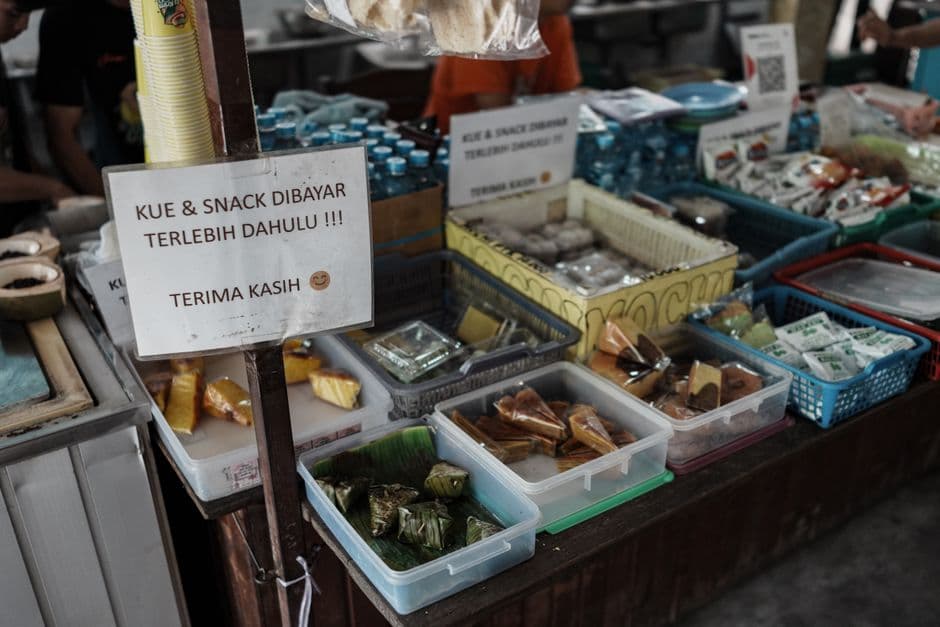
A free till for the Indonesian warung: QRIS and GoPay included
Nine in the evening, a warung on a gang somewhere in East Jakarta. A customer takes two sachets of coffee, a packet of instant noodles and a bottle of water, then holds his phone up to the QRIS sticker taped next to the shelf. He pays with GoPay, shows you the screen, and walks back out into the night. The sale is done. And it now exists nowhere: not in a notebook, not in a drawer, only somewhere inside an app you will open again at midnight, too tired to make sense of it.
Repeat that thirty or forty times a day. Add the kasbon of the neighbours who pay at the end of the month, a PLN outage that takes the whole street down for two hours, and a phone signal that gives up whenever it rains. That is the ordinary week of a small Indonesian shop, in Surabaya, in Bandung, in Denpasar or on a road in the regions.
The cash drawer is not disappearing, but it is losing ground fast. People scan instead of counting out notes, because it is quicker and because they no longer carry small change. A shop that only takes cash does not lose customers to a competitor. It loses them to the fact that the customer simply has no notes on him.
So the till you pick has four jobs, and only four. Record every payment method separately, so that cash, QRIS and each wallet never melt into a single number. Count in rupiah (IDR / Rp). Keep selling when the signal drops. And cost nothing per month. Most traditional POS terminals fail at least two of those, because they arrive bundled with hardware you have to buy and a plan you have to pay whether the shop had a good week or not. This guide goes through what a free till really does for an Indonesian shop, where it stops, and how the main options on the market compare.
Accepting QRIS and e-wallets cleanly
For years an Indonesian counter looked like a sticker collection: one QR for GoPay, another for OVO, a third for DANA, and a bank code somewhere in the middle. QRIS (Quick Response Code Indonesian Standard), the national standard from Bank Indonesia and the payment industry (ASPI), put an end to that. It is interoperable: a customer paying with GoPay, OVO, DANA, ShopeePay, LinkAja or a bank app scans the same QRIS code. One sticker, every wallet. By mid-2025 QRIS already reached tens of millions of merchants, the vast majority of them micro and small businesses, which tells you how quickly the habit spread.
To receive money as a shop, register a QRIS merchant account through a bank or a licensed provider. You get your funds and your static QR, and the paperwork takes an afternoon, most of it waiting. That part is easy. The part that actually protects your money happens at the counter, on every single sale:
- The customer scans your QRIS code with whatever wallet they use. - You wait for the confirmation on your own merchant side. Never the customer’s screenshot: a fake takes thirty seconds to produce, and a busy Saturday evening, with people crowding the counter and your hands full, is exactly when someone will try one. - You record the sale in the till with the right payment method.
Three moves, maybe ten extra seconds. Then closing time comes, and this is where the discipline pays for itself. If your till logs one payment method per channel, the end-of-day report reads: so much cash, so much QRIS, so much card. You open your merchant app, you compare channel by channel, and a missing Rp50.000 shows up the same evening, on the exact channel where it went missing.
Without that split, you are adding up a drawer, an app and your memory of the note you pulled out at noon to pay the supplier. That is not counting the day’s takings. That is estimating them, and an estimate repeated every evening for a year is how a shop ends up not knowing whether it earns money.
digabloPos: free, offline, and built for the rupiah and e-wallets
digabloPos is free for life on its core POS. Not a thirty-day trial, not a version capped at fifty products. The full till, with no expiry date, on the Android phone already in your pocket.
Here is what the free core covers:
- QRIS, GoPay, OVO, DANA, ShopeePay and card as separate payment methods. Your daily report splits cash from each wallet, so reconciling with the merchant apps takes minutes instead of guesswork. - Native rupiah (IDR). Prices, receipts and reports in rupiah, formatted the way your customers read them (Rp). - Full offline mode. Sell, track stock and print receipts with no signal; everything syncs on its own when the connection returns. Built for PLN outages and for data that comes and goes. - Unlimited sales and products, two staff accounts, receipts and end-of-day reports, all free. - Any Android phone. No terminal to buy. An optional Bluetooth thermal printer if your customers want paper receipts. - Customer credit (kasbon / utang). Every credit sale is dated and itemized, and each regular’s balance shows in two seconds. The warung notebook, but one both sides can read without arguing over a scribbled figure.
Paid modules exist for the day the shop outgrows the basics: kitchen orders, batch and expiry tracking, several outlets. They switch on one at a time, when the need is real. A warung can run for years on the free core without spending a single rupiah, and plenty do. The order matters: your money belongs in stock first, in hardware second, and in a subscription never, for as long as the free till does the job.
Free POS in Indonesia, compared
Indonesia has serious local products, but they do not all play in the same category. Some are built around payments, some around hardware and monthly plans, some around the small shop itself. Here is where they sit:
- digabloPos: free for life, offline-first, rupiah, records QRIS, GoPay, OVO, DANA and ShopeePay as separate methods, runs on any Android. The pick when you want zero recurring cost and zero dependence on the signal. - Qasir: a very popular free POS built for warung and UMKM, with sales recording, inventory and e-wallet integration. A solid free starting point too, with a strong local following. - Moka POS: a capable cloud POS inside the GoTo ecosystem, popular with cafés and retail. Feature-rich, on a paid subscription. - Pawoon: a modern cloud POS for F&B and retail, priced around Rp299,000 per outlet per month. - Olsera / Majoo: full retail and F&B suites with online-store and back-office features, paid. - Loyverse: free and offline-capable, used worldwide, with paid add-ons for the advanced features.
Since a comparison should take a side, here is one. For a warung or a warteg clearing a modest margin a day, a monthly subscription makes no sense, and a proprietary terminal makes even less. The demo always runs beautifully on the vendor’s fibre in South Jakarta; your shop does not run on the vendor’s fibre. Start free, with digabloPos or Qasir, and test whichever you pick in airplane mode before you commit to anything. If your checklist reads no monthly fee, offline, rupiah, and QRIS, GoPay, OVO and DANA recorded properly, those two are the strongest free starting points. The subscription suites earn their place later, when the volume pays for them.
By type of business
The same free core adapts to most Indonesian trades; what changes is which part of it you lean on.
In a warung, three things carry the day: barcode scanning so the queue keeps moving, stock that updates itself with every sale, and kasbon kept clean for the regulars. Selling by the sachet works too: you sell the single unit, and the till deducts it from the pack.
At a warteg or a warung makan, lunchtime is the whole game. Quick item buttons for the dishes on the counter, orders sent to the kitchen instead of shouted across the room, and the QRIS code standing next to the rice.
For an apotek, the batch module follows expiry dates so nothing quietly dies at the back of a shelf, and scanning the box identifies the product without typing, on shelves where every second box looks like the last one.
At a pasar stall or on a kaki lima cart, the till is the phone in your pocket and nothing else. No counter, no cables, no signal needed: you sell all morning offline and everything syncs on the ride home.
The pattern holds in every case. Start with the free till, learn it during real service, and switch a module on only the day the business actually asks for it.
What about PPN, e-Faktur and UMKM tax?
An honest note, because plenty of comparison articles skip it and leave shop owners with a bad surprise later. A free till covers your day-to-day operations: recording sales, tracking stock, reconciling QRIS and e-wallets, and producing a clean sales report. That is the operational backbone most small shops need, and usually the part that was missing.
Tax invoicing is a separate, regulated layer. A few things to know in 2025-2026:
- PPN (VAT). The headline rate is 12%, but since 1 January 2025 the 12% rate applies only to luxury goods; for ordinary goods and services the effective rate stays 11% (via an adjusted tax base). Most everyday warung sales are not luxury items. - UMKM income tax. A small business with annual turnover up to Rp4.8 billion can use the final PPh of 0.5% on gross turnover, paid monthly. That regime is extended for individual taxpayers through 2029. - e-Faktur / Coretax. Only a PKP (VAT-registered business) issues electronic tax invoices (e-Faktur), and filing now runs through the Coretax system.
So the split of roles is clear, and worth keeping clear. digabloPos is an operational POS and reporting tool, not an e-Faktur or tax-invoice issuer. Use it to run the shop and produce a clean sales base; keep your tax invoicing on the official channel (Coretax and e-Faktur for a PKP). Confirm the rules for your registration type with the Direktorat Jenderal Pajak, because they depend on how the business is registered. What the free till changes is your starting point: instead of reconstructing a year of sales from memory and a stack of notebooks, you hand over a clean, dated record.
Start in 5 minutes
You do not need to close the shop, and you do not need to wait for a quiet Sunday.
1. Download digabloPos on your Android phone, or open it in a browser. 2. Add the products that move the most, or import a list, and set the Indonesian rupiah (IDR). 3. Add QRIS, GoPay, OVO and DANA as payment methods. 4. Make your first sale. Pair a Bluetooth printer if you want paper receipts.
Twenty products are enough for day one; the rest of the shelf can wait for a slow afternoon. Keep the notebook next to the phone for the first week if it reassures you. There is no contract and no monthly fee, and the till keeps selling on the evening the signal drops.
Three habits that cost you rupiah
The first: trusting the screenshot. It was said above, but it stays the most common trap at an Indonesian counter, and avoiding it costs nothing but the few seconds it takes to see the real confirmation on your own merchant app. Anyone who insists you accept their screen instead is telling you something.
The second: piling everything into one total. Cash, QRIS, the wallets and the kasbon added up in your head give a figure that looks right and proves nothing. The evening Rp200.000 goes missing, you cannot say on which channel, so you cannot fix anything. You just carry the doubt into the next day.
The third: choosing a till that needs the internet. It runs beautifully during the demo, on the vendor’s fibre. It runs a lot less well the night PLN cuts the street and the tower with it, when six people are waiting and the screen says connecting. Ask the vendor the blunt question before you sign: if the network is down for two days, what do I lose? The only acceptable answer is nothing. Then test it yourself in airplane mode, because the demo will never show you that.
What changes after the first month
The first thing you notice is small: the evening count stops being an argument with yourself. The report says how much should be in the drawer and how much should sit in each wallet, you compare, and you close the shop knowing instead of hoping.
The second takes a few weeks. You find out what actually sells. Every shopkeeper is sure they know their top twenty products; the report usually corrects at least five of them. That changes what you buy on the next trip to the supplier, and money stops sleeping in boxes nobody asks for.
Then the quieter changes arrive. You see which regular’s kasbon has been sitting untouched for six weeks, and you settle it by showing a screen instead of defending a line scribbled in a notebook. You see whether QRIS has overtaken cash at your counter, which tells you whether the sticker deserves a better spot on the shelf. And the first time an outage hits while you keep selling, phone in hand, the question of whether the shop needed a till answers itself.
None of that requires a terminal, a contract or a monthly fee. It requires the phone you already own, one evening of setup, and the habit of recording every sale on the right payment method. Start with tonight’s sales; the numbers do the rest.
Also on digabloPos
Sources and references
Start your free till in Indonesia
No monthly fee, QRIS, GoPay, OVO and DANA recorded separately, sales that keep going without a signal. digabloPos runs on any Android, set up in 5 minutes.
Try for free