Best Bar and Pub POS Software: 2026 Comparison
What is the best POS for a bar or pub in 2026? Comparison of top bar POS systems, happy hour automation, tab management, split bills, NF525 in France. Pricing and best practices.
Consultante POS & restauration — 12 ans dans le secteur
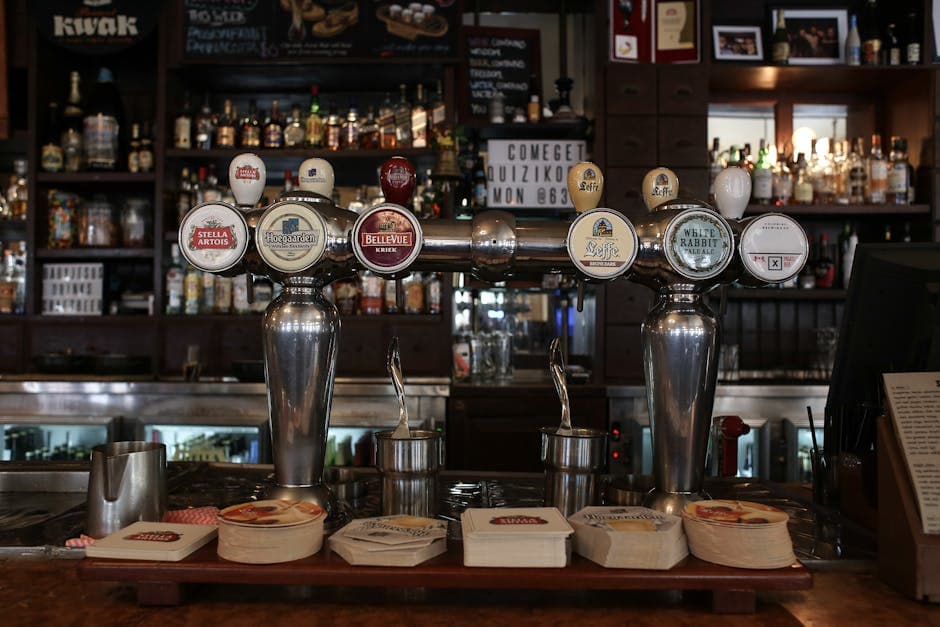
Why a bar needs a dedicated POS
A bar isn't a restaurant. Very short sales cycle (2-5 minutes per round), moderate average ticket (€8-25), very dense customer flow in short windows (happy hour 6-8pm, late night 10pm-2am), and a heavy share of draft drinks (pints, half-pints, cocktail formats).
A generic POS works, but costs precious time at every service: no native happy hour, no shortcuts for top sellers, no clear handling of split bills.
A bar-specific POS offers natively: shortcut buttons for the main beers and cocktails, automatic happy hour (prices drop at 6pm, rise at 8pm), split bills (per customer at the table), fast rounds (4 pints in 2 clicks), and drinks stock management (alerts when 5 kegs left, FIFO valuation on bottles).
The 6 must-have features for a bar
1. Automatic happy hour. Prices drop automatically between 6pm and 8pm on Thursdays and Fridays (or any configurable slot), and rise back at the exact time. Without this automation, the bartender applies the discount manually and forgets or makes mistakes.
2. Split bills. A group of 6 orders 4 pints and 2 cocktails. At payment time, each wants to pay what they consumed. The POS must allow split per product or by equal shares in a few clicks.
3. Fast rounds. "x4 same pints" buttons that add 4 identical lines in one click. Critical for service speed at peak time.
4. Drinks stock management with valuation. Track beer kegs (how many left), spirits bottles (volumetric in cl), softs. Auto alerts when 1 keg or 2 bottles of a reference left. FIFO valuation (first in, first out) on stock purchases.
5. Simple loyalty program. Stamp card or cumulative points. Bars have hyper-recurring customers — a loyalty program lifts visit frequency by 20-30%.
6. Multi-checkout with separate sessions. A bar may have 2-3 tills (counter, terrace, side bar). Each till has its own session but reports are consolidated. Essential to track per-station productivity.
Which POS to choose: 2026 comparison
digabloPos — free solution with à-la-carte modules, NF525-certified. Customizable shortcut buttons, stock management, native offline mode, multi-currency for Switzerland/Belgium/Africa zones. Free plan is enough to start; advanced modules (reports $20/mo, extra employees $5/mo) activate as needed.
L'Addition — premium POS widely deployed in high-end restaurants and bars. From €75/month. Strong customization, kitchen integration, fine handling of split bills.
Lightspeed Restaurant — international premium solution. From €89/month. Good for chains or high-end bars with multiple locations.
Tactill — touch iPad POS, from €29/month HT. Good UX, native payment integration. Targets bars and small restaurants.
Crisalid Bar — French editor specialized in food trades. From €50/month. Hardware + software bundled.
Hiboutik — free Standard plan, or €9.90/mo HT (Pro) / €12.90/mo HT (Premium). Not bar-specialized but works for a small independent operation.
Toporder — mainly restaurant- and bakery-oriented, but used by some bars. From €59/month HT.
How to choose by profile
Neighborhood bar starting up: digabloPos free plan. Configure key buttons (draft beer, signature cocktails, happy hour formulas), activate happy hour. If enough, stay. Otherwise migrate to L'Addition after 6 months.
Pub with table service and snack menu: L'Addition. Fine handling of split bills + kitchen integration for snacks justify the investment.
High-end cocktail bar: Lightspeed or L'Addition. You need fine recipe management (10 cl gin, 2 cl lemon, etc.) to drive food cost and analytics to optimize the menu.
Beach / seasonal bar: digabloPos free plan. Native offline mode is essential (saturated 4G in season), quick season restart, no annual commitment.
Nightclub or club with bar: L'Addition or Lightspeed. Very dense volumes (300-500 transactions/hour), need for several synchronized tills, VIP/prepaid card management.
Bar in border zone (CH/BE/IT): digabloPos for native multi-currency. Swiss customers pay in CHF, you keep accounting in EUR.
Pitfalls to avoid and transition tips
Pitfall 1: not configuring happy hours correctly. Verify the POS applies the price drop automatically at the defined time AND raises it at the end. Run a dry test with a probe product before going live.
Pitfall 2: under-sizing payment connectivity. A full evening = 200 payments in 2 hours. If your TPE/card reader lags or has weak 4G, it's a bottleneck. Invest in a good TPE (Stripe Reader S700, SumUp Solo, myPOS Mini) with reliable connection.
Pitfall 3: forgetting end-of-day cash management. At 2am, your bartender must close fast and the POS must produce a clean Z report. Avoid solutions where closing is slow or multi-step.
Pitfall 4: ignoring ambient noise for notifications. Alert sounds (order confirmed, card accepted) must be audible in a noisy bar. Verify max volume and visual notification capability (LED, screen).
Pitfall 5: misjudging onboarding time. A new bartender must pick up the POS in 30 minutes max. Test with a beginner before signing.
Transition tip: switch on a Sunday morning (quiet day), with afternoon staff training and a real-life test on Sunday evening (light service). Never switch on a Friday: if it crashes Saturday night at peak, you lose the night.
Frequently asked questions
Which POS software for a bar or pub in 2026?
For a starting neighborhood bar, digabloPos free plan. For a pub with table service and snack menu, L'Addition. For a high-end cocktail bar, Lightspeed or L'Addition. All NF525-certified.
How to automate happy hours?
Configure your time slots (e.g., Thursday 6-8pm) with discount percentages per product category. The software auto-applies at the defined time and reverts the price at the end. Without this automation, you apply manually and lose 15-30 minutes per service.
How to split a bill among several customers?
Good POS software allows splitting per item (everyone pays what they consumed) or in equal shares in a few clicks. digabloPos, L'Addition and Lightspeed handle both mechanics smoothly.
Is offline mode needed for a bar?
Yes, it's essential. In the evening, your wifi can saturate (clients connected to your network) or drop. Without offline mode, your POS crashes mid-rush. Verify the mode is native (not a rough fallback).
How much does software cost for a bar?
From €0 (free plans like digabloPos, Hiboutik) to €90/month for premium solutions (L'Addition, Lightspeed). Plan €30-50/month for a balanced solution. Hardware (tablet + printer + TPE) adds €400-700.
Also on digabloPos
Sources & references
Try digabloPos free for your bar
Forever-free NF525-certified plan, automatic happy hour, split bills, native offline mode. Get started in 10 minutes with no commitment.
Try for free