Free POS Software in the USA 2026: No Monthly Fee, Keep More of Every Sale
Free POS software in the USA: no monthly fee, works offline, prices in dollars. Bring your own card reader, and see how Square, Clover and Toast compare.
Point of sale, Mexico City, Mexico
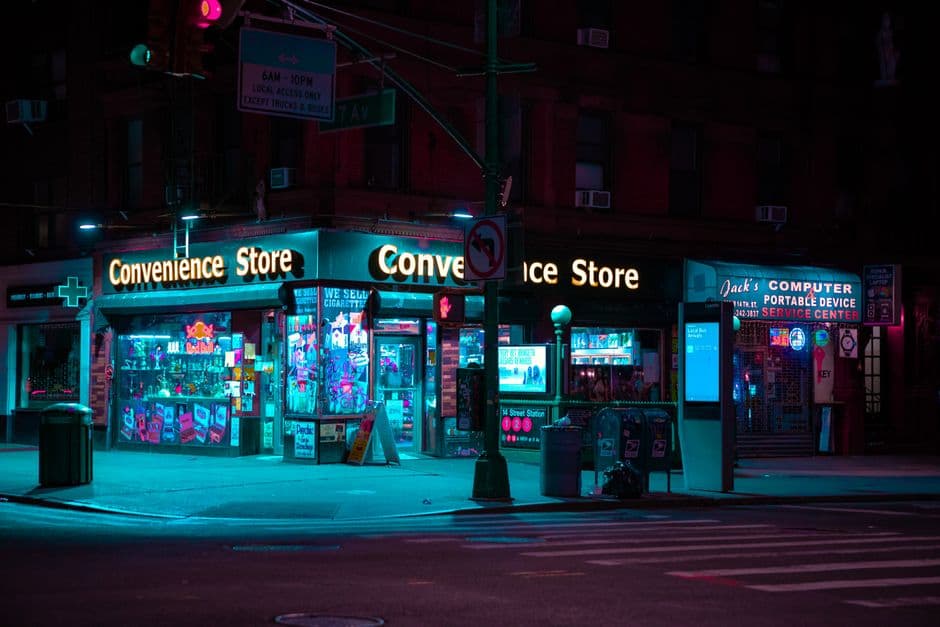
A genuinely free register for your US small business
Ask a shop owner in the US what the register costs and you get two numbers. The first one they know by heart: the processor’s cut on every card. The second one comes with a sigh, because it lands whether the month was good or not. That is the monthly software fee. Fifteen dollars, seventy dollars, sometimes past a hundred, charged for a screen that adds up prices and prints a receipt.
The second number is the one worth attacking. A bodega in the Bronx ringing up $900 on a slow Tuesday pays the same flat subscription as a chain location doing ten times the volume. A food truck parked three nights a week pays it for the four nights it stays in the lot. That math has never favored the small operator, and it is the part of your bill that nobody at the counter ever sees.
digabloPos takes the software off the bill entirely. The register is free for life: unlimited sales, unlimited products, receipts, stock, reports. You keep running cards exactly the way you run them today, on whatever reader already sits by the till. What goes away is the subscription you were paying just to ring somebody up.
This is not a thirty-day trial and it is not a teaser tier that locks inventory the moment you add a fiftieth item. It is a working till on the phone or tablet you already own, priced in US dollars, still selling when the Wi-Fi quits. What follows is how that plays out on a real counter, what Square, Clover and Toast actually charge (their published numbers, not our spin), and where the honest limits sit, including the one thing no point of sale in America can do for you: your sales tax filing.
Take cards without the monthly fee
Cards run the American counter. Visa, Mastercard, Amex, Discover, and now the phone itself: tap-to-pay with Apple Pay and Google Pay stopped being a nice touch a while ago. It is what a customer under forty expects to find. Plenty of small sellers also take Cash App, Venmo or Zelle on a twelve dollar ticket, and cash never went anywhere.
Here is the piece most owners never get told. Your register and your card reader do not have to come from the same company. The industry sells them as one thing because the bundle is what keeps you. But they are two different jobs. The reader moves the money; the register records the sale. Pair whatever reader you like, a Square reader, Stripe Terminal, or a tap-to-pay phone with no hardware at all, and run digabloPos on top as the free register and reporting layer.
Take Square’s published in-person rate: 2.6% + 15¢ per tap, dip or swipe (updated February 2025). That is a fair price for what it does. It moves money from a customer’s bank to yours, absorbs the network fees, carries the chargeback risk. Pay it without complaining.
Now look closely at what the percentage actually buys. It processes the card. Nothing inside it obliges you to also rent the software that lists your products and totals the basket. digabloPos charges nothing for that, so every sale comes down to three moves:
- Run the card on your reader, or take cash, Cash App, Venmo or Zelle. - Record the sale in digabloPos under the right tender: card, cash, or each app as its own method. - Close the day with a total that splits cash from cards from app payments, so what you count in the drawer and what lands in the bank finally line up.
The third move is where a free register earns its keep. An owner who dumps Venmo into the same bucket as cash spends the last twenty minutes of every night hunting a gap that was never a gap. Separate the tenders and the count takes four minutes.
digabloPos: free for life, offline, on any device
Free for life on the core register means exactly that, and here is the shape of it:
- No monthly fee. Unlimited sales and products, two staff accounts, receipts and reports, all free. Optional modules exist for the day you grow into them. No three-year contract, no early termination clause waiting in a PDF. - Every tender recorded cleanly. Cards, cash, Apple Pay and Google Pay, Cash App, Venmo, Zelle, each one its own payment method, so the end-of-day report tells you the truth instead of a rounded story. - US dollars. Prices, receipts and reports in dollars and cents, with the tax rate you set yourself. - Works offline. Sell, track stock and print receipts with no internet at all. Sales queue on the device and sync the second you reconnect. - Any device. An Android phone or tablet, or any computer through the browser. No proprietary $799 terminal, no hardware lease that outlives the hardware. Add a Bluetooth thermal printer if you want paper. - Tips and reporting built in. Tip prompts for food and service, plus sales by item, by day, by employee, whenever you feel like looking.
The offline line deserves more than a bullet. Most cloud systems treat a connection as a given and fail loudly when it is not there. Anyone who has watched a line back up while a terminal spins knows that cost, and it is not measured in dollars per month. It is measured in the four customers who walked. digabloPos writes the sale to the device first and syncs second. The router can reboot, the hotspot can die, the venue Wi-Fi can hold you hostage behind a login page nobody can find. The register keeps ringing, and when the signal comes back, everything you sold in the meantime is already there.
Free POS in the US, compared
Half the systems in this market advertise a "free" app. The honest question is not whether the download costs money. It is what still costs nothing on the day you hire a second person, add your thousandth item, or want a report by employee. Here is where the main options sit, with their own published numbers:
- digabloPos. Free for life on the core register, offline first, USD, runs on any phone, tablet or browser, no lock-in. You bring your own card reader. The right pick when your checklist reads "zero software cost, and it has to work when the signal doesn’t." - Square. A genuinely free POS app with no monthly fee on the basic plan, and a good reputation it earned. You pay 2.6% + 15¢ in-person processing, and the paid tiers (Square for Retail, Square for Restaurants) add monthly fees on top. The catch is structural rather than sneaky: the processing is tied to Square. The software stays free as long as the payments stay in the family. - Clover. Capable kit, built around its own hardware and monthly software plans (roughly $15 up to about $85+/month depending on tier) and frequently sold with multi-year processing contracts. Read the agreement, all of it, before you sign. Getting out of one of those is nobody’s favorite afternoon. - Toast. Built for restaurants and genuinely strong at it. A free "Starter Kit" exists, but it swaps the monthly fee for higher processing, around 2.99% + 15¢, and the full plans run $69 to $110+/month plus hardware. For a 90-seat dining room with a kitchen display and eight servers on a Friday, that can be money well spent. For a coffee counter with two people on shift, it is a lot of system for the job in front of it. - Loyverse. A capable free app, popular with small shops around the world. Some of what you will eventually want, employee management and deeper inventory, sits behind paid add-ons. - SumUp and Shopify POS. Perfectly good readers and software, tied to their own processing, and Shopify assumes you are already paying for a monthly plan.
Run your own list rather than ours. If it says "no software subscription, works offline, bring my own reader, prices in USD", the field narrows fast to digabloPos and Square’s free plan. Between those two the difference shows up on the bad days: Square’s free tier is generous but ties you to its processing and expects a connection to be there. digabloPos never charges for the software and keeps selling when the internet is gone.
By type of business
The same free core covers most of the trades on an American main street.
Bodega and convenience store. Barcode scanning, real-time inventory, checkout fast enough for the coffee-and-lotto rush, and a clean cash versus card split at close. If your staff moves between English and Spanish across a shift, so does the app.
Food truck. Everything lives on a phone or a tablet. The lot behind the brewery has one bar of signal and the register does not care. Tips are handled, a Bluetooth printer rides in the drawer for anyone who wants paper, and there is nothing bulky to bolt down and carry home at 1am.
Coffee shop. Quick item buttons, modifiers for the oat milk and the extra shot, tip prompts, tap-to-pay for the line that forms at 7:45 and does not break until nine. Ring, print, next.
Salon and barbershop. Services and retail on the same ticket, sales tracked per stylist or barber, tips added at payment. A two-chair shop has no business paying a monthly software bill for that.
Farmers’ market and pop-ups. Sell from a tablet with no Wi-Fi anywhere near you, take cash, tap-to-pay, Venmo or Zelle, and let the whole day sync once you are back home.
Small retail. Apparel, gifts, hardware, plant shops. Products, variants, stock counts, a receipt. The parts you touch every day, none of the parts you would only be renting.
Start on the free register. Switch on a module (kitchen display, batch tracking, a second location) the day the business genuinely asks for it, not because a sales rep folded it into your plan at signup and you never noticed.
An honest note on US sales tax
Straight talk, because the US works differently from most countries we write about. There is no national VAT, and there is no federal cash-register or fiscal-receipt certification. You do not need a government-approved till to sell legally here. In France or Italy that sentence would be false. In the US it is simply the situation, and for a new owner it is good news: nobody is going to fine you for ringing up sales on a tablet.
The complication is sales tax, and it is local. There is no single national rate. Sales tax varies by state and by locality, and five states, Alaska, Delaware, Montana, New Hampshire and Oregon, have no statewide sales tax at all. Everywhere else, the state rate plus whatever a city or county adds through its local option is the rate you have to charge at the counter. Move your food truck across a county line and the correct rate can change with it. What a product even counts as, prepared food or grocery, can flip the treatment in some states.
None of that is a software problem. It is a jurisdiction problem, which is exactly why you will not find a rate printed in this article for you to copy.
What digabloPos does here is bounded and clear. You set your tax rate on your products, the register applies it, records it, and shows it on receipts and in reports, and at any point you can pull what you collected over a day, a week or a quarter. That is the raw material a filing runs on, and having it clean is most of the work.
What digabloPos does not do is file for you. You are responsible for configuring the correct state and local rate, and for filing and remitting what you collect, through your state’s department of revenue or your accounting software. digabloPos is not a tax-filing service. It gives you accurate, exportable sales records so that filing becomes a short job instead of a weekend of reconstruction. If you are not sure which rate applies to you, ask your state’s revenue department or your accountant before you guess. Charging the wrong rate for a year is an expensive way to learn local geography.
What it really costs to open the register
Free software does not mean a free counter, and pretending otherwise would be dishonest. Here is the real bill for a small US seller opening this month.
The register: $0. That is the entire line, and it reads the same next year.
The device: what you already own. An Android phone does the job. A refurbished Android tablet, if you want a bigger screen facing the customer, sits in the low three figures. A laptop in the browser works too. What you do not need is a $799 proprietary terminal, or a lease on hardware you will still be paying for after it stops being the newest model.
The card reader: your call. This is where you compare rates instead of subscriptions. Square’s in-person 2.6% + 15¢ is the number most owners measure everything else against.
The printer: optional. A Bluetooth thermal printer plus rolls, and you can skip it entirely if you text or email receipts.
The scanner: worth it the day you have barcodes and a line. A bodega or a small retail shop should buy one early. A food truck almost never needs one.
Add that up and a working register costs you a reader, maybe a printer, and nothing per month. Set it next to the same counter running on a $70 plan: three years in, that owner has handed over more than $2,500 for software alone, and still owns none of it. That is a used car, or a second truck, or the deposit on a real storefront.
Mistakes that quietly drain a small US register
Five we see often enough to name.
Signing a multi-year processing contract to get "free" hardware. The terminal is free the way a printer is free when the cartridges cost more than the machine. Price the whole term, then decide.
Filing every payment app under "cash." Venmo, Zelle and Cash App settle differently and arrive in different places. Record each as its own tender and the nightly count stops being a mystery you solve by shrugging.
Assuming the internet will be there. It will not be, on the one night that matters, and a register that cannot sell offline becomes a paperweight during your best hour of the week.
Setting a tax rate once and never looking again. Rates and local options change, and a second location or a new market can put you in a different jurisdiction without anybody sending you a letter. Check what you are charging at least once a year.
Never reconciling the drawer. Counting cash against the report takes four minutes and catches a leak in week one instead of month nine. It also protects the honest people who work for you, which in the long run matters more than the money.
Start in 5 minutes
1. Open digabloPos in your browser, or install it on your Android phone or tablet. 2. Add your products, or import a list, then set the currency to US dollars and enter your local tax rate. 3. Add your payment methods: card, cash, Apple Pay and Google Pay, Cash App, Venmo, Zelle. 4. Make your first sale. Pair your card reader, and a Bluetooth thermal printer if you want paper receipts.
Ten products is plenty to start with; the rest of the catalog can go in on your first slow afternoon. No contract, no monthly fee, no lock-in, and the register keeps ringing on the night the internet does not.
Also on digabloPos
Sources and references
Start your free register in the US
No monthly fee, and you keep more of every sale. Pair any card reader, record every tender cleanly, sell offline, price in US dollars. digabloPos runs on the device you already own, and you can be ringing up sales in five minutes.
Try for free